Guides
The Best AI Interior Design Apps in 2026: How to Choose
July 12, 2026 · 9 min read
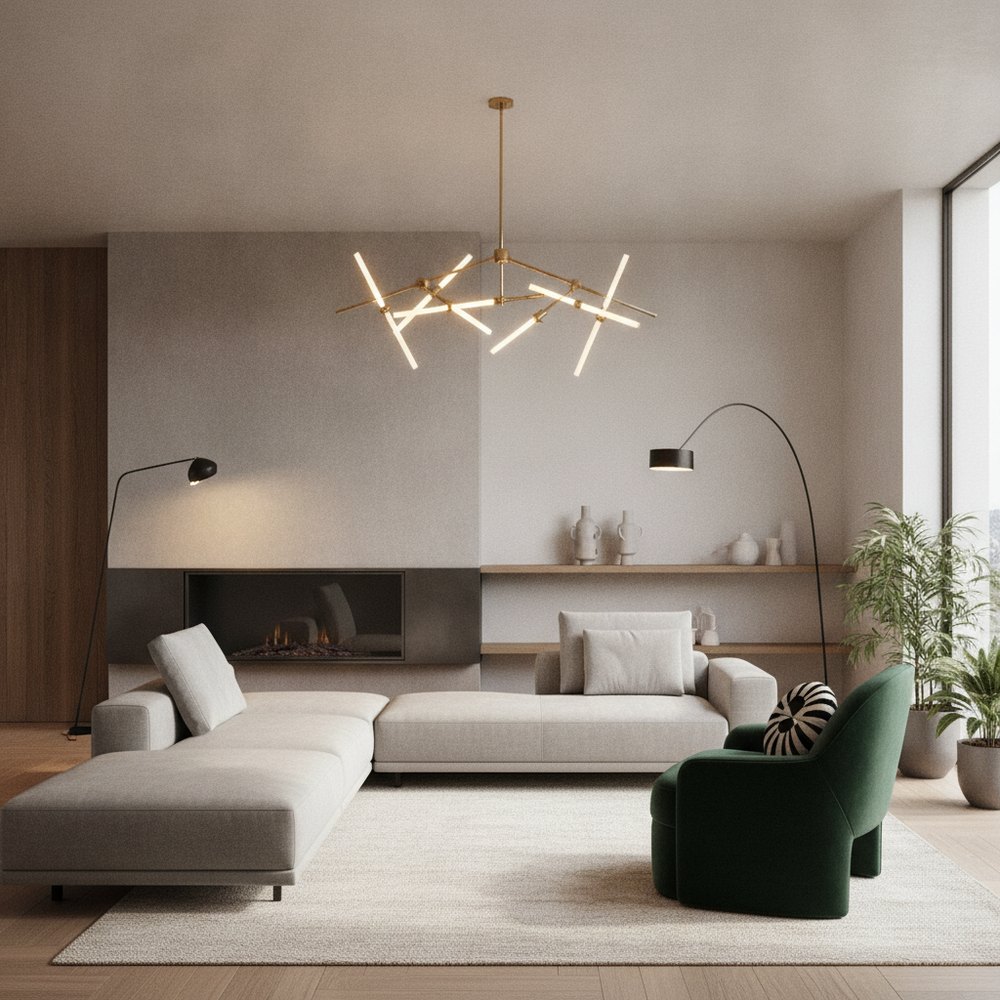
The best AI interior design apps in 2026 redesign a room from a single photo while keeping its real layout, then let you compare styles fast. Judge tools on five things: photo-based vs text-only input, layout preservation, room and exterior support, output realism, and transparent pricing.
What does an AI interior design app actually do?
An AI interior design app takes a photo or a text prompt and generates a redesigned version of a space in a chosen style. The strongest tools work from a real photo of your room, so the result reflects your actual windows, doors and proportions rather than a generic showroom.
The category has split into two approaches. Text-to-image generators invent a room from a description, which looks impressive but rarely matches your home. Photo-based tools like Decorly redesign the space you actually have, which is far more useful when you plan to buy furniture or brief a contractor.
How should you judge an AI interior design app?
Ignore star ratings and focus on how a tool performs against clear criteria. These are the five that separate a genuinely useful app from a novelty.
- Input method — Photo-based redesign beats text-only prompts for real projects, because it starts from your room instead of an imagined one.
- Layout preservation — The app should keep windows, doors, ceiling height and camera angle fixed so the render is buildable, not fantasy.
- Scope — Look for interiors, exteriors and gardens in one place if you have a whole-home project rather than a single room.
- Output realism — Lighting, scale and material accuracy matter more than dramatic colour. A believable render is one you can act on.
- Pricing transparency — Clear subscription terms and a usable free trial beat hidden per-render charges or aggressive paywalls.
Photo-based vs text-based: which is better?
Text-based tools are excellent for early inspiration and mood-setting. You type 'warm Japandi living room with oak floors' and get a gallery of ideas in seconds, which is perfect when you have no direction yet.
Photo-based tools win the moment you want to redesign your own space. Because they preserve the existing layout, the render shows how a style would sit in your room specifically, with your sofa wall, your window light and your ceiling line. That is the difference between a pretty picture and a plan you can shop and build from.
Which rooms and spaces should the app support?
Many apps only handle living rooms and bedrooms, which is limiting once you tackle a whole home. The most capable tools extend to kitchens, bathrooms, home offices, and crucially to exteriors and gardens.
If curb appeal or landscaping is on your list, check that the app can redesign facades and outdoor space, not just interiors. Decorly covers rooms, exteriors and gardens from the same single-photo workflow, which keeps a multi-space project consistent.
How much do AI interior design apps typically cost?
Pricing is usually a monthly or annual subscription rather than a one-off purchase. As guidance, most consumer AI design apps sit in the low-to-mid single-digit-per-month range on annual plans, with monthly plans priced higher for flexibility.
Watch for two traps. Some apps advertise a low headline price but cap you to a handful of renders, then charge per extra image. Others lock realistic output behind a premium tier. Always run the free trial on a real photo of your own room before committing, and compare plans on the Decorly pricing page for a transparent baseline.
What are the signs of a low-quality AI design app?
A few warning signs reliably predict disappointment. Spot them during a trial and you will save both money and time.
- Layout drift — If windows move, doors vanish or the room changes shape, the tool is generating rather than redesigning.
- Warped furniture — Melting chair legs and impossible geometry mean the model cannot handle real scale.
- No exterior or garden support — A sign the app is a single-purpose demo rather than a whole-home tool.
- Opaque billing — Undisclosed per-render fees or no working trial suggest the value is thin.
- Generic showroom output — Renders that ignore your photo and return stock-looking rooms.
Where does Decorly fit in 2026?
Decorly is built around the criteria that matter most for real projects: it redesigns any room, exterior or garden from a single photo while preserving the true layout, so the result is something you can shop and build from. You can compare styles like Scandinavian, minimalist and Japandi on the same room in minutes.
It is not the right pick if you only want to daydream from text prompts with no photo. But if your goal is to visualise your actual home in a new style and then act on it, a photo-based, layout-true tool is the honest recommendation. Try it on one room at Decorly before you plan a bigger project.
Frequently asked questions
What is the best AI interior design app in 2026?
The best app for real projects is one that redesigns your room from a photo while keeping the real layout, supports interiors and exteriors, and prices transparently. Decorly is built around these criteria; text-only generators suit early inspiration.
Are AI interior design apps free?
Most offer a free trial or limited free tier, then charge a monthly or annual subscription. Always test a tool on a real photo of your own room during the trial before paying, and check whether renders are capped.
Can AI interior design apps redesign my actual room?
Photo-based apps can. They start from your photo and preserve windows, doors and proportions, so the render reflects your real space. Text-only tools invent a room instead, which rarely matches your home.
Do AI design apps work for exteriors and gardens?
The best ones do. Look for tools that redesign facades, front yards and landscaping as well as interiors so a whole-home project stays consistent. Decorly covers rooms, exteriors and gardens from the same workflow.
Is AI interior design accurate enough to build from?
When a tool preserves your layout and renders realistic scale and lighting, the output is accurate enough to guide furniture buying and contractor briefs. Treat renders as a visual plan, then confirm exact measurements on site.