Guides
AI Interior Design: The Complete Guide
July 11, 2026 · 9 min read
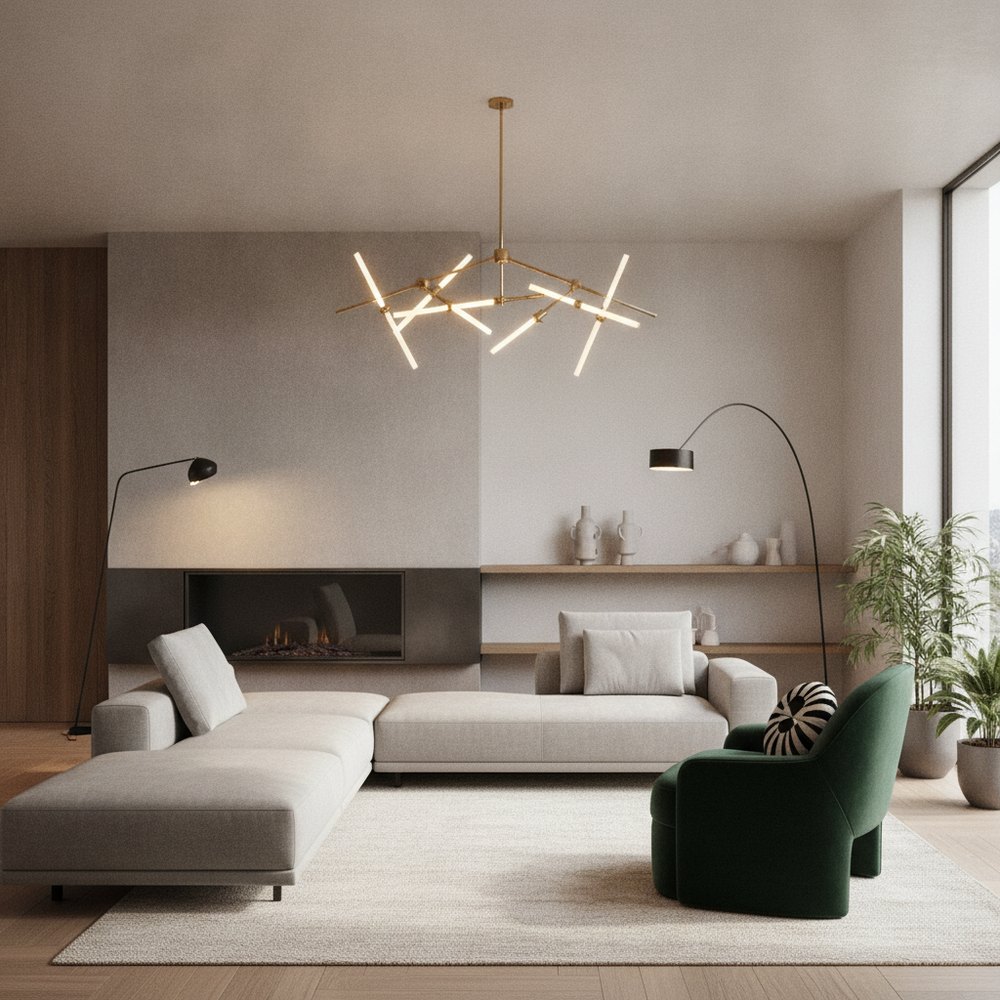
AI interior design uses generative image models to redraw a real room from a single photo, restyling its surfaces, furniture, colour and lighting in seconds while keeping the actual layout, windows and proportions. It lets anyone preview a professional-looking redesign with no drawing, 3D modelling or measuring skills required.
What is AI interior design?
AI interior design is the practice of using artificial intelligence, specifically generative image models, to produce a photorealistic redesign of a real space from a photograph. You upload an image of a room, choose a look, and the AI returns a styled version of that exact space in seconds.
The distinction that matters is context. A generic image generator invents a room from a text prompt; a purpose-built tool like Decorly reads your photo and preserves the geometry, where the windows, doorways, walls and ceiling sit, so the result reads as your room redesigned rather than a stranger's.
That single constraint is what makes AI interior design genuinely useful for planning. Because the output respects your real proportions, you can judge a colour, a material or a furniture layout in the context you will actually live in.
How does AI interior design work?
Under the hood, the model has learned patterns from an enormous range of images, how materials catch light, how furniture is proportioned, how looks such as Scandinavian or Industrial express themselves. When you supply a photo and a style, it regenerates the room to match that style while holding the structure fixed.
It is worth understanding that the AI does not comprehend your room the way a person does; it recognises visual patterns and probabilities. That is why the input matters so much, and why preserving structure is a deliberate design choice rather than a given. A tool built for interiors locks the geometry in place, while a general image generator will happily move your walls or invent a window that was never there.
- 1Upload a clear photo of any room, exterior or garden.
- 2The model analyses the geometry, depth and lighting of the space.
- 3You pick a style and, if you like, a room type or a specific focus.
- 4The AI regenerates surfaces, furniture, colour, textiles and decor in that style.
- 5A photorealistic result appears in roughly seconds.
- 6You compare, refine, save or share, then generate more variations.
What can AI interior design do well?
AI is strongest wherever speed and volume beat precision. Because each design costs seconds rather than days, you can explore far more directions than any traditional process allows, and you can do it before spending anything on paint or furniture.
The real superpower is not any single render, it is iteration. Seeing three or four directions side by side makes a decision obvious in a way that imagining them never can, and it costs you minutes rather than a designer's billable hours. That freedom to compare is what most changes how confidently people make choices about their homes.
- Style exploration compare Modern, Japandi, Minimalist and more on the same room.
- Colour and material testing see a wall colour or flooring in place before you buy a sample.
- Pre-renovation visualising picture a remodel to align everyone before builders quote.
- Property staging show an empty or dated room at its best for a sale or rental listing.
- Beating blank-page paralysis a concrete starting point is far easier to refine than an empty room.
What are the limits of AI interior design?
AI renders are visualisations for inspiration and planning, not construction documents. It helps to know exactly where the line sits so you use the tool for what it is good at and bring in other help for the rest.
- Great for: mood, direction, colour, style, layout ideas and fast iteration.
- Not a substitute for: exact measurements, structural or safety advice, and precise budgets.
- Handle with care: small hardware details and any text can render imperfectly, so read them as suggestion, not spec.
- Always verify: anything load-bearing, electrical or plumbing belongs with a qualified professional.
How do you get the best results from AI interior design?
The quality of the input photo has more influence on the result than any other single factor. A few seconds of care before you upload pays off in every design you generate.
There is a compounding effect worth understanding: a good photo improves every design you generate from it, while a dark, cluttered or crooked shot quietly limits all of them. Treat the upload as the most important decision in the process, because it is the one that shapes every result that follows.
- Shoot in soft, even daylight and avoid harsh shadows or blown-out windows.
- Stand back and capture the whole room, not a tight corner.
- Hold the phone level so vertical walls stay vertical.
- Declutter surfaces so the AI reads the space, not the mess.
- Generate two or three styles and compare them side by side before deciding.
- Iterate: keep what works, regenerate what does not, and refine toward the look.
How do you use AI in a real design project?
The most valuable way to use AI interior design is as the front end of a real project, the fast, cheap exploration phase that used to eat the most time and money.
- 1Explore freely: generate many looks for the room until a clear direction emerges.
- 2Lock a style: choose one dominant look, such as contemporary for a living room, and note what you liked.
- 3Build a brief: save your favourite renders as a visual reference for yourself, a painter or a builder.
- 4Shop toward it: use the images as a checklist for paint, materials and furniture.
- 5Execute and adjust: make it real, comparing the room back to your saved direction as you go.
AI interior design vs hiring a designer, do you need both?
It is not really a competition. AI excels at fast, low-cost exploration; a human designer brings taste, sourcing, space planning and project management. For most people the smart move is to use AI first to settle direction, then bring in a professional for the parts that need judgement and hands-on execution.
If you are working alone on a budget, AI can carry you a long way, especially for a budget makeover where the biggest wins are paint, lighting and layout rather than structural change. Pairing it with a structured home renovation plan keeps everyone working toward the same picture.
Which rooms and styles suit AI best?
AI handles almost any space, but it shines where a room has clear structure and decent light to work with. A living room, bedroom or kitchen with a visible layout gives the model plenty to hold onto, and even exteriors and gardens redesign well when the photo captures the whole scene.
On styles, forgiving looks such as Scandinavian and Modern tend to render cleanly and please most people, while bolder directions like Industrial or Luxury reward a higher-quality photo. The sensible approach is to try a safe style first to confirm the room reads correctly, then push into something more distinctive once you trust the result.
How much does AI interior design cost?
Many tools, Decorly included, are free to download. Decorly's Premium plan (₹1,300/month or ₹5,700/year) gives you 100 watermark-free AI designs a month across every style, which is enough to plan a whole room properly.
If you are designing a whole home or iterating heavily, Decorly Premium is 1,300 rupees a month or 5,700 rupees a year for 100 AI designs a month, watermark-free results and an AI expert chat for advice. You can compare plans on the pricing page.
Either way, the cost is a small fraction of a designer's fee for the exploration stage, which is exactly the stage AI handles best. Browse more styles and room ideas to see what is possible, or read the complete room transformation guide to put a design into action.
Frequently asked questions
Is AI interior design accurate to my real room?
Yes. Purpose-built tools like Decorly keep your real layout, windows and proportions, so the redesign looks like your actual space rather than a generic stock image.
Can I use AI interior design for free?
Decorly is free to download and browse all 12 styles. AI design generation is a Premium feature — 100 watermark-free designs a month, from ₹1,300/month or ₹5,700/year.
Is AI interior design good enough to replace a designer?
For exploring styles and visualising a space, it is faster and cheaper. For sourcing, measurements and managing a renovation, a human designer still adds real value, so the two work best together.
How long does an AI redesign take?
seconds per design with Decorly, so you can compare several styles in a couple of minutes.
What kinds of spaces can AI redesign?
Interiors, exteriors and gardens. Decorly covers 12 styles across all three, from living rooms and kitchens to facades and outdoor landscaping.